Plan your gallery wall before you drill.
Stop guessing where your frames go. Get exact positions and measurements without the trial and error.
Free · No card required · 30 seconds


Click "Add Frame" to place art on your wall.
No more mistakes
“I ordered a print online. It looked so tiny on the wall.”
“I drilled the holes, then realised the frame was off-centre.”
“I couldn't picture whether black or wood frames would work.”
Placement preview
Hang it right the first time.
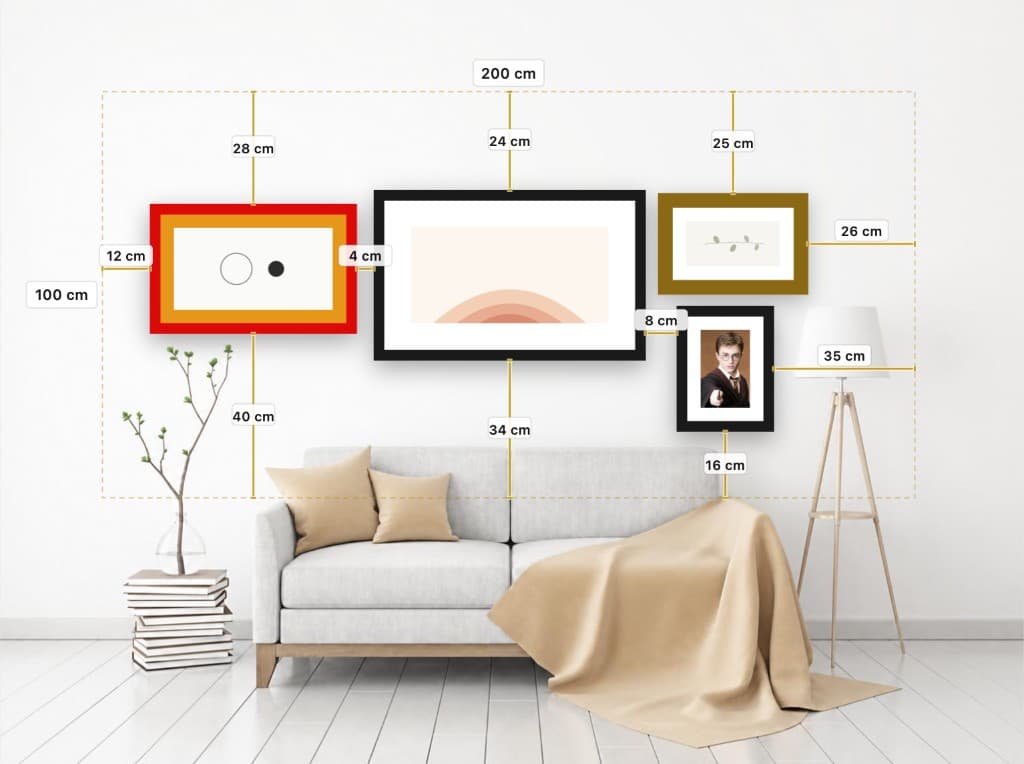
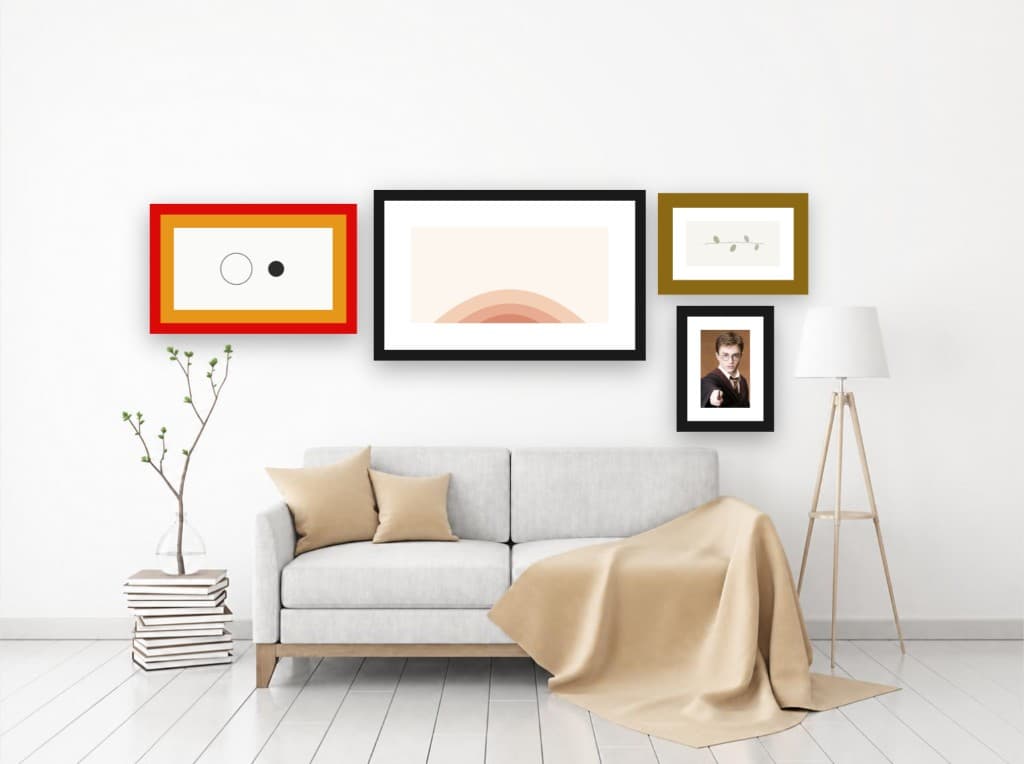
Upload a photo of your wall and instantly see your art in two ways: precise measurements for placement, and a clean mockup for the full effect.
Build your exact arrangement
Add up to 12 frames, drag them into place, and test different compositions until the wall feels balanced.
Get the right size above furniture
Use real wall measurements to preview true scale, so your art does not look too small over a sofa or bed.
Match frame finishes to your room
Compare metallic, wood, and plain frames, or go frameless, and fine-tune mats so everything works with your space.
Order the right size. First time.
Switch to clean preview mode to see the finished result. Zero holes wasted. No returns.
What Size Art Should You Hang?
Choosing the right size artwork is one of the most important decisions in wall decor. Art that is too small gets lost on a large wall, while oversized pieces can overwhelm a space.
The 60-75% rule: artwork should cover 60 to 75 percent of the available wall space above furniture. For a wall section that is 120 cm wide above a sideboard, look for art between 72 and 90 cm wide.
Gallery walls: when hanging multiple pieces, plan the total arrangement to follow the same proportion rule. Space frames 5 to 8 cm apart for a cohesive look.
Eye-level center: the center of your artwork should sit at 145 to 152 cm from the floor — the standard museum hanging height. Above furniture, leave 15 to 20 cm between the furniture and the frame's bottom edge.
Use the visualizer above to test different sizes on your actual wall before buying or making any holes.
Frequently Asked Questions
How do I visualize art on my wall?
Upload a photo of your wall, enter its measurements (width and height), then click 'Add Frame' to place a frame. Drag it to reposition, resize by pulling the corners, change the frame style, and choose artwork from the gallery or upload your own.
What size art should I hang above a sofa?
Artwork above a sofa should be about two-thirds to three-quarters the width of the sofa. For a standard 210 cm sofa, target 130–165 cm of art or total arrangement. The bottom edge should sit 15–20 cm above the sofa back.
How high should I hang pictures?
The center of your artwork should be at eye level — typically 145 to 152 cm from the floor. This is the standard used by galleries and museums worldwide. When hanging above furniture, leave 15–20 cm between the furniture and the bottom of the frame.
Can I plan a gallery wall layout?
Yes. You can add up to 12 frames on a single wall photo. Each frame can have a different size, style, and artwork. Drag them into your desired arrangement to visualize your gallery wall before making any holes.
Is this tool free?
Yes, completely free with no signup required. Everything runs in your browser — your photos are never uploaded to any server.
What image formats are supported?
JPEG, PNG, WebP, and HEIC up to 10MB. HEIC files from iPhones are automatically converted. For best results, take a straight-on photo in good lighting.
One large piece or multiple smaller ones — which is better?
A single large piece creates a bold focal point and is the safest choice above a sofa or bed. Multiple smaller pieces add character but work best when they share a visual theme — matching frames, a consistent mat color, or a common palette. Use the gallery wall planner to test any arrangement before committing.
Should picture frames match or can I mix styles?
Matching frames create a cleaner, more formal look — ideal for minimalist interiors and symmetrical arrangements. Mixing styles adds personality and suits eclectic spaces, but works best when frames share at least one element: the same finish (all black, all wood), similar width, or a unified mat color. Avoid mixing more than two or three distinct styles on one wall.
What is a picture mat and do I need one?
A mat is the flat border between the artwork and the frame, typically white or cream. It adds visual breathing room and keeps the piece from touching the glass. Modern and frameless styles often skip it for a cleaner, edge-to-edge look. Toggle the mat option in the visualizer to compare the difference on your wall.
Ready to go further?
Thinking about redesigning your walls?
We have everything you need, from planning your frames to transforming the whole space.